

Define an experiment
Define is the first step in PM Optimizer, where you lay out the experiment: what to vary, what to measure, and what best means.
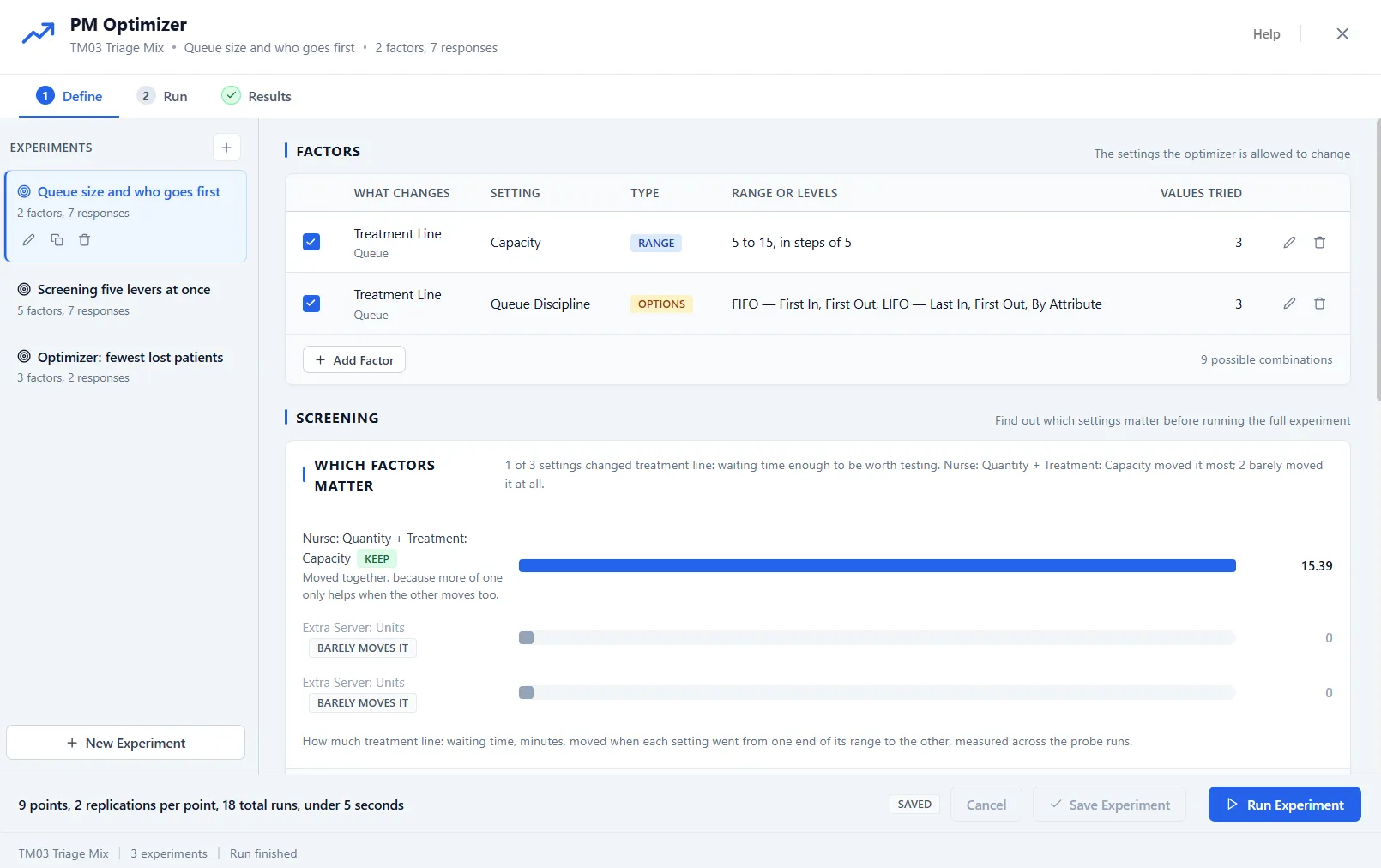
The step reads top to bottom: the factors table, a screening panel that finds which factors matter, the responses list, and the design choice. Each has its own article; this one covers the experiment list, the goal, limits, and the footer that starts the run.
One model, many experiments
Section titled “One model, many experiments”The list on the left holds every experiment saved with this model. Each one is independent, with its own factors, responses, and goal, so you can keep a quick screening study next to a full optimization and switch between them. Use New Experiment to start another, and the pencil, copy, and trash icons to rename, duplicate, or remove one. Give each a plain name that says what it asks, such as “Queue size and who goes first”.
The goal: what best means
Section titled “The goal: what best means”Every response you measure carries a goal: Lower is better, for something you want less of, such as time in system or cost, or Higher is better, for something you want more of, such as throughput. One response wears the Primary badge and leads the search.
When more than one response counts, give each a weight so they combine into a single score. A higher weight pulls the search harder toward that response. Responses you leave out of the score are still measured and shown for every configuration, so you can compare them even when they are not part of the goal.
Limits keep results sensible
Section titled “Limits keep results sensible”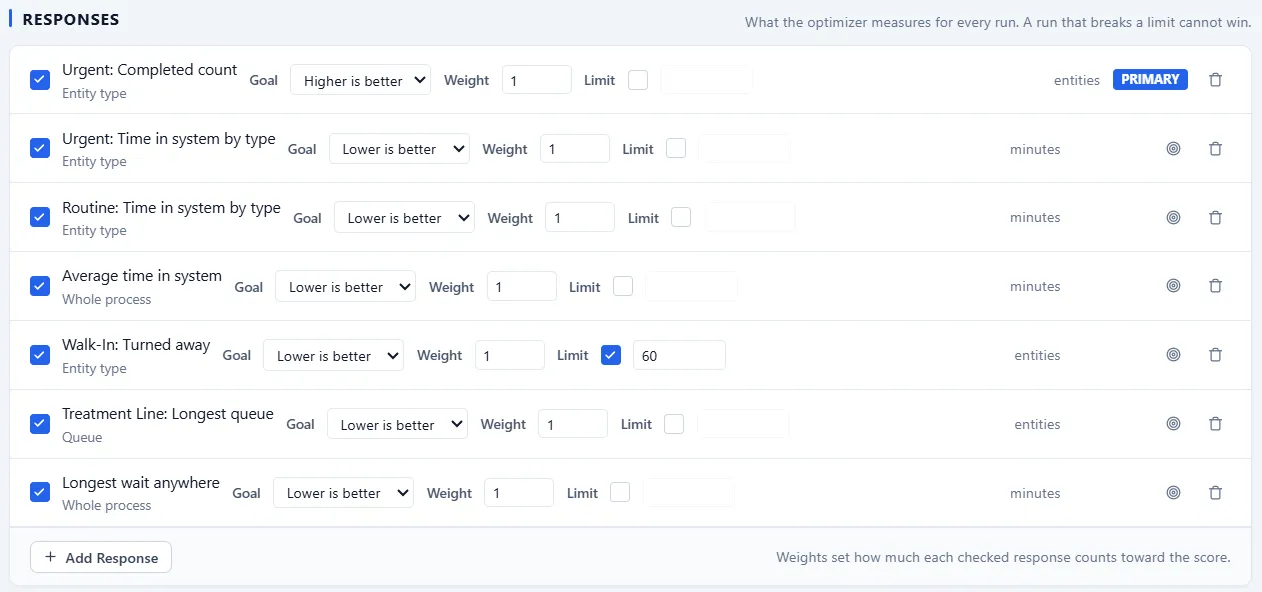
Each response row also carries a Limit: tick the box and type the number. The direction follows from the goal, so there is nothing else to set: where lower is better, the limit is a ceiling the result must stay under; where higher is better, it is a floor the result must stay above. One limit per response.
A configuration that breaks a limit still runs and is still reported, but it cannot win: it is marked over the limit, left out of the ranking, and drawn as a hollow point on the charts so you can see where the boundary sits.
The run footer
Section titled “The run footer”The bar along the bottom does the arithmetic before you commit: how many design points, how many replications per point, the total number of runs that adds up to, and, once a run has been observed, about how long it will take. Replications themselves are set with the slider on the Full Factorial design card.
The button on the right starts the run. It reads Run Experiment, or Save & Run Experiment when you have unsaved edits, because a run always executes the saved definition. A run that would take a while asks first, so a heavy grid never starts by surprise.