

Pull by Priority - Timed by Type
LegacyHow this worked in the previous version
When you need to pull an entity by priority declared and time it by its type.
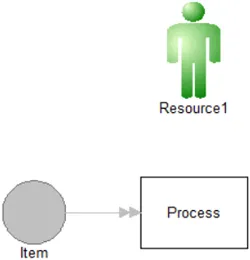
Where to Find the Model Object
Section titled “Where to Find the Model Object”The following model object can be found in the model objects directory:
- Flow Control - Pull by Priority - Timed by Type
Difficulty Level
Section titled “Difficulty Level”- Ease of Use: Moderate
- Ease of Modification: Moderate
How to Use the Model Object
Section titled “How to Use the Model Object”-
Open Your Model: Open your model or create a new blank model.
-
Insert the Model Object into Your Model
-
Locate the model object Pull by Priority - Timed by Type and select the insert button.
-
Move the cursor to the point of insertion and left mouse-click. The upper left corner of the **model object **will be inserted at the location of the mouse-click.
-
Connect to Your Model
-
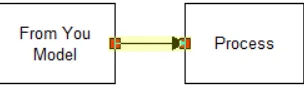
**Create **a percentage route from the point in your **model **where you would like to pull entities by priority and **connect **it to Process.
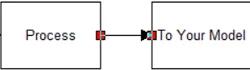
- **Create **a percentage route from **Process **to the rest of your model.
-
Define Values: Define the values for attributes **a_Priority **and **a_EntType **before the entity arrives at Process.
-
Update Objects: **Change **the name of **Process **to what maybe appropriate for your model.
-
Completion: The model object is now integrated into your model, you should now be able to save and then simulate the model.
Controls Usage
Section titled “Controls Usage”Attributes:
Section titled “Attributes:”- a_Priority: Is used to define the priority of the entity, LOW = 1, MEDIUM = 2, HIGH = 3.
- a_EntType: Is used to define the entity types.
Variables:
Section titled “Variables:”- v_ResourceCount1: Is being used as an incrementing variable after an entity goes through.