

Steps and step kinds
A Step is one thing the team does to a work item. Under the Software lens it is an activity, renamed, and it carries a Kind of step that tells the plan of work what the step is.
Effort and people
Section titled “Effort and people”On a Step’s General tab, two settings do most of the work.
- Effort is how long the step takes one person, as a spread of hours. It is the activity’s processing time, renamed.
- People, the middle of the three small boxes, is how many people may be on that step at once. It is the activity’s capacity, renamed, and it is a different number from the People on a team.
Kind of step
Section titled “Kind of step”The Kind of step dropdown tells the plan of work what each step is, so it knows where work is built, reviewed and shipped.
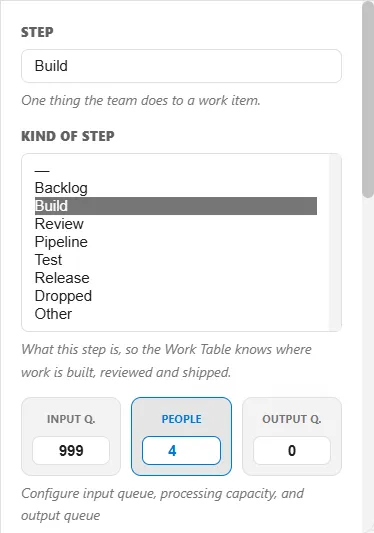
- Build is where an item’s hours are spent.
- Review is a step read by someone else before the work moves on.
- Test is a step done by testers.
- Pipeline is the automated run the build system does.
- Backlog is where items wait, and Release is where they ship. Both are covered in Backlog, Release, Freeze and Done.
- Dropped is work descoped, cut from the plan.
- Other is a step that is none of these, such as the Done stop where an item is counted.