

Get and Keep Connector
A Get / Keep connection seizes a resource and holds it while the entity moves through later activities, until you release it with a Free connection (or a FREE statement in action logic). Instead of being released at the end of the activity, the resource travels with the entity.
Use it when the same resource must stay with the entity across several steps, like a technician who loads a part, moves with it, and stays until it is unloaded.
Settings
Section titled “Settings”- Quantity: how many units to seize and hold (default
1). - Priority: the order this activity acquires the resource when there is competition.
- Setup / Travel Time: time for the resource to reach the entity before work begins. On a resource that moves along paths it reads Setup (see Delivering with a moving resource).
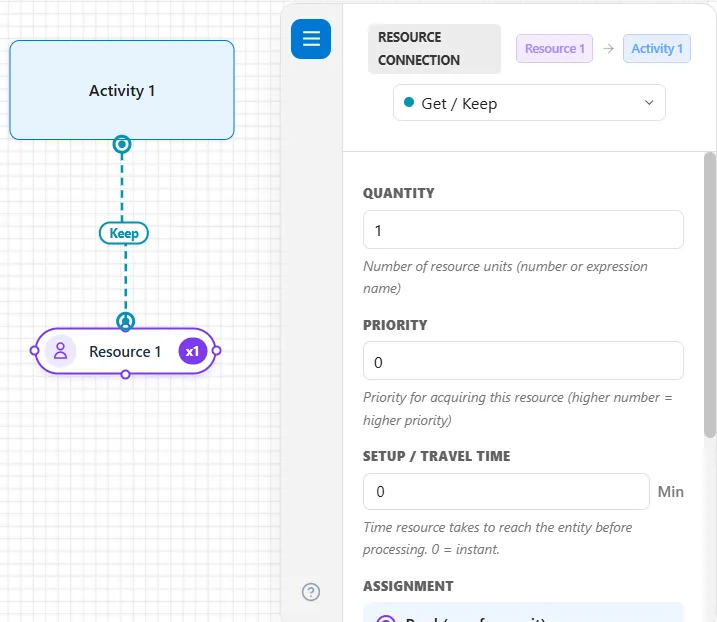
Pair it with a Free connection at the activity where the resource should be released.
Assignment
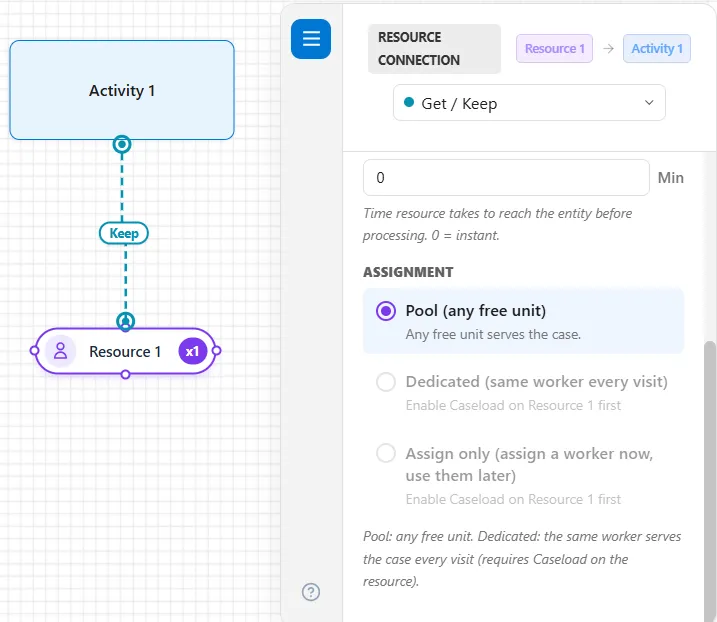
Section titled “Assignment”A Get / Keep connection has the same Assignment as a Get / Free connection, below Setup / Travel Time: Pool (any free unit), Dedicated (same worker every visit) and Assign only (assign a worker now, use them later). A new connection is on Pool. The other two stay gray until the resource’s Caseload is on, as Figure 1 shows. The three choices are described under Assignment in Resource Connectors.
Delivering with a moving resource
Section titled “Delivering with a moving resource”When the resource has Moves along paths ticked, the connection has two more settings, and a Get / Keep paired with a Free becomes a delivery: the unit takes the part aboard at this step and carries it along the paths, through every step on the way, to the step with the Free.
- Collect at: Activity start (the default) or Output queue. “Where [unit] picks the part up. With no output queue the unit takes it from the activity itself, which holds the finished part until the unit arrives.”
- Setup: in place of Setup / Travel Time. “Charged when the unit arrives, on top of its own pickup time. Travel comes from the paths.”
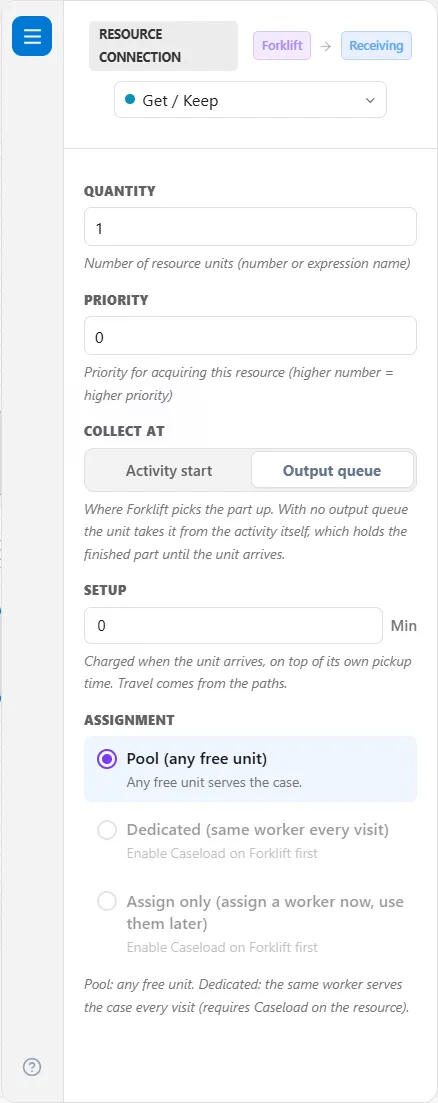
With Collect at on Output queue, a delivery runs like this:
- The activity claims, runs and finishes without the unit, because the unit is wanted only once the part is done.
- When the part reaches the output queue (or finishes, where the activity has no output queue), a unit is called, but only if the destination has room. That room is held for the part until it is put down, so a unit never arrives to find the place taken. Until there is room, the part stays where it is and no unit is called.
- The unit drives to the step’s path node, pays the Setup and its Pickup time, and carries the part along the route to the next step (see How long a ride takes).
- At the step with the Free, the part is put down there: see Letting go.
A step with no output queue holds its finished part until the unit arrives, and that time is reported as blocked.
With Collect at on Activity start, the unit drives to the step first and pays the Setup, the activity runs with it, and when the activity is done the unit takes the part aboard, paying its Pickup time once, and sets off with it.
How long a ride takes
Section titled “How long a ride takes”A part rides with its unit in its route’s Move Time. A route whose Move Time is blank or 0 has no time of its own, so the ride takes the path’s length at the unit’s Speed loaded (see Speed loaded and the routes’ times). Where two steps share one path node, there is no distance to drive: the unit holds the part on the node for the route’s Move Time. A Move Time that is a distribution, an attribute or a variable is drawn for each part during the run.
Through every step to the Free
Section titled “Through every step to the Free”A unit that a part keeps stays with that part until the Free lets it go, however many steps lie between, with either Collect at choice. It takes the part aboard once, and each leg rides in its own route’s time, as above. At each step on the way:
- The unit puts the part into the step and stays beside it while the step works on it, or while the part waits in a queue. No Pickup or Drop-off time is paid there.
- It is busy and In Use for that time, and a rush call never takes it.
- When the step is done, it takes the part on along the next route.
- At a shift end it does not stop: it finishes the carry to the Free as overtime.
A part held by a GET in a step’s action logic and let go by a FREE in a later step’s logic rides the same way. Under Destroy (see Carrying tab) the part is consumed where the carry ends, never at a step on the way.
Letting go
Section titled “Letting go”At the step with the Free, the Free’s Let go at decides what happens (see Free Connector):
- Input queue: the Free’s Setup and the unit’s Drop-off time are paid, the part enters the input queue, or the activity itself where there is no input queue, and the unit is free.
- After activity: the Free’s Setup is charged when the unit arrives, before the step’s work. The unit then works on the part at this step and is released when the activity ends.
Checks
Section titled “Checks”- A warning, “[Resource] collects from [step] but nothing downstream lets go, so it will carry the part until it leaves the model.”
- “[Step]: [resource] carries parts through here, but [step] has no path node. Link it to a path.” A step the unit carries a part through needs a Path node. The Simulate button stops on it, because the unit could not drive there.
- “[Step]: [resource] carries parts to here, but [step] has no path node. Link it to a path.” The step where the carry ends needs a Path node too, when the carry ends there with a FREE or FREE ALL in the step’s logic, or where a unit that collected from a queue with a Get / Free puts the part down. A step with the Free connection and no path node is named as any step a moving resource serves: “[Step]: [resource] delivers here, but [step] has no path node. Link it to a path.”
- “[Resource] carries parts on the route from [step] to [step], which has no Move Time, so it needs a speed loaded above zero, or a Move Time on that route.”
LegacyHow this worked in the previous version
The Get resource connection allows you to get the resource and hold it until you explicitly free it later using a Free resource connection or FREE statement in Action logic.
**Quantity **The number of units of this resource that are required. Any expression is valid. You may leave this field blank or enter 0 if the actual getting of the resource is done explicitly in the Action logic of the activity or routing. In this case, the connection serves only as a graphic representation of the resource being used.
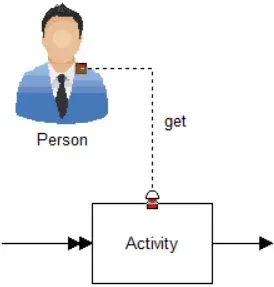
**Priority **Enter the priority (0 - 99) for responding to this activity. Higher values have higher priorities. A priority is only necessary if the resource is assigned to multiple tasks that may be competing for the services of the resource.
Respond immediately Check this box if the resource is to interrupt any other activity in order to respond immediately to this activity. This selection is only meaningful if the resource is assigned to multiple tasks. (A resource that is off shift or on break will not respond until back on duty by this request.)
Types of Connectors
Section titled “Types of Connectors”Keeping a resource across activities
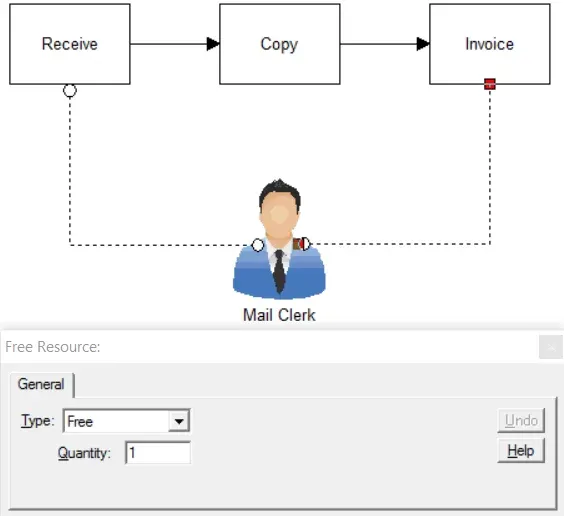
Section titled “Keeping a resource across activities”A resource is continuously used throughout a number of activities, including the moves from one activity to another. Useful in modeling resources such as case workers.
Suggested Technique
Section titled “Suggested Technique”- Connect the resource to the activity where the resource will first be used and select Get from the Type field in the properties dialog of the connection.
- Connect the resource to the activity where the resource will last be used and select Free from the Type field in the properties dialog of the connection
- Alternatively, you may use the GET and FREE statements in the Action logic of the appropriate activities. Connected resources will always be captured before resources specified in a GET statement. On the other hand, resource connections that free a resource occur after any Action logic for the activity.
Example: Incoming jobs to a copy center are received, copied, and invoiced all by the same clerk in three consecutive steps.
TO DO: Connect the clerk to the Receive activity and select Get from the Type field in the properties dialog. Then connect the clerk to the Invoice activity and select Free from the Type field in the properties dialog.
To learn more about resources, see Resources and Resource Assignments.
If an entity exits while holding a resource
Section titled “If an entity exits while holding a resource”During the simulation run the following message is received:
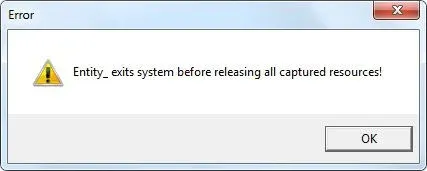
(Error, Entity exits system before releasing all captured resources!)
Reason
Section titled “Reason”A resource was captured using a Get or JointlyGet statement but not Free’d before exiting. The entity left the system with a resource still attached. The engine recognizes this as an error because the model will soon run out of resources and not be able to function.
Solution
Section titled “Solution”The problem is easy to find using a process of elimination. Place a FREE ALL at all exit points of the model, then remove the statements one by one until offending activity(s) can be determined. Follow the chain of activities backward until it can be determined why a resource was captured without a corresponding Free.
Related to Entity
Section titled “Related to Entity”- What is an Entity?
- How do I change Activity Time based on Entity Attribute?
- How do I Change Activity Time Based on Recurring Entity Passes?
- How do I Divide an Entity?
- How do I Randomly Assign Entity Attribute Values?
- How do I Renege an Entity?
- How do I Tracking Entity Conditions?
- How do I Change Entity Graphics During Simulation?
- How do I Import Entity Graphics?
- Why am I Getting Entity Arrival Failures at the End of Simulation?
- Why am I Getting Entity Exits System Before Releasing all Captured Resources?