

Tanks and vessels
A vessel holds a level of one material. Give it a name, set its Material and its Capacity, and it is ready to fill and draw.
The three sizes
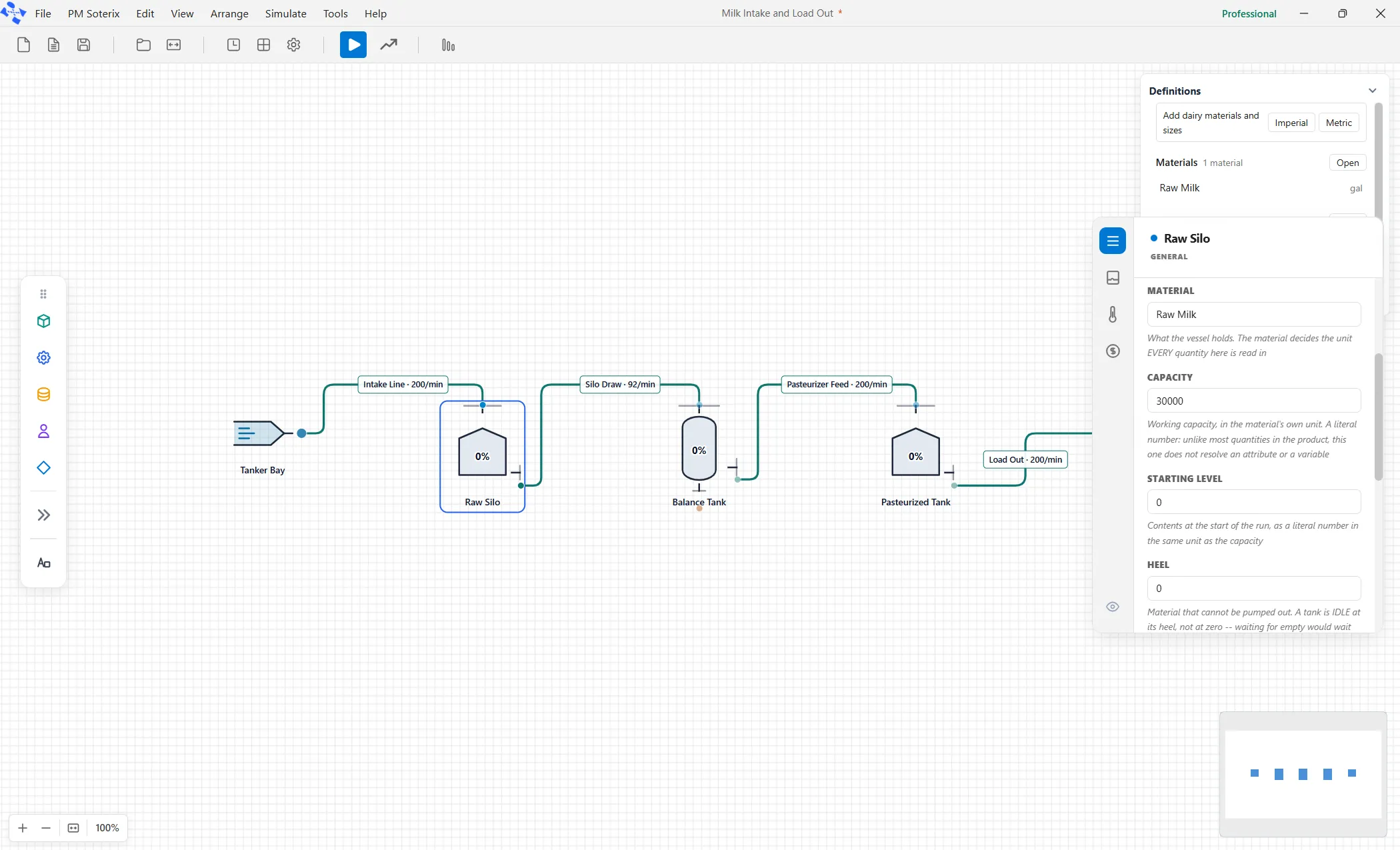
Section titled “The three sizes”Three boxes describe how much a vessel holds, all read in the material’s unit.
- Capacity is the working volume.
- Starting Level is how full it is when the run begins, which is often zero.
- Heel is what you cannot pump out: the material below the outlet that stays in the bottom.
A vessel sitting at its heel is empty for every practical purpose.
Level marks
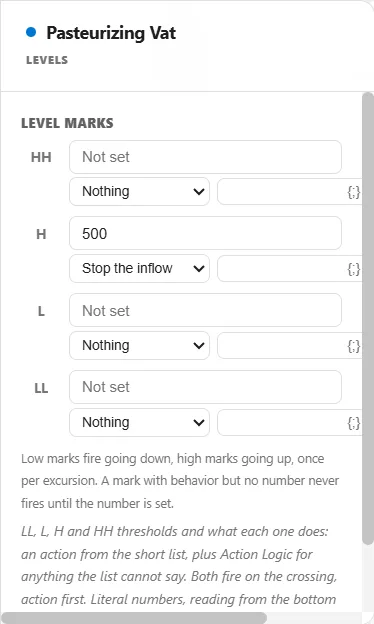
Section titled “Level marks”A vessel can carry up to four level marks, named LL, L, H and HH, at whatever level you choose. Crossing a mark does what the mark’s action says: Nothing (the mark still measures time in band for the report), Stop the inflow, Stop the outflow, Call for a refill or Alarm. A mark can also run a line of logic. That is how a high switch that shuts a fill valve is modeled: an H mark at the fill level, with its action set to Stop the inflow. A low mark can Call for a refill and a lower one can Stop the outflow, so a vessel fills and empties all day on its own.
Literal numbers only
Section titled “Literal numbers only”The capacity, the starting level, the heel and every level mark take a literal number only. They will not accept a variable, an attribute or a distribution. Change the number between runs, or vary it with a scenario.