

Transfer lines
A transfer line, a pipe, moves material from one vessel to another at a rate. Both ends must be a vessel or a boundary. A pipe cannot start or end at an activity, because material moves on pipes and entities move on routes.
Drawing a pipe
Section titled “Drawing a pipe”Hover over the edge of one element until a handle appears, then drag from that handle to the element you want to connect to. Because both ends are vessels or boundaries, the product makes a transfer line rather than a route. Click the new line and fill in three boxes: the Line Name, the Material, and the Rate with its Per unit.
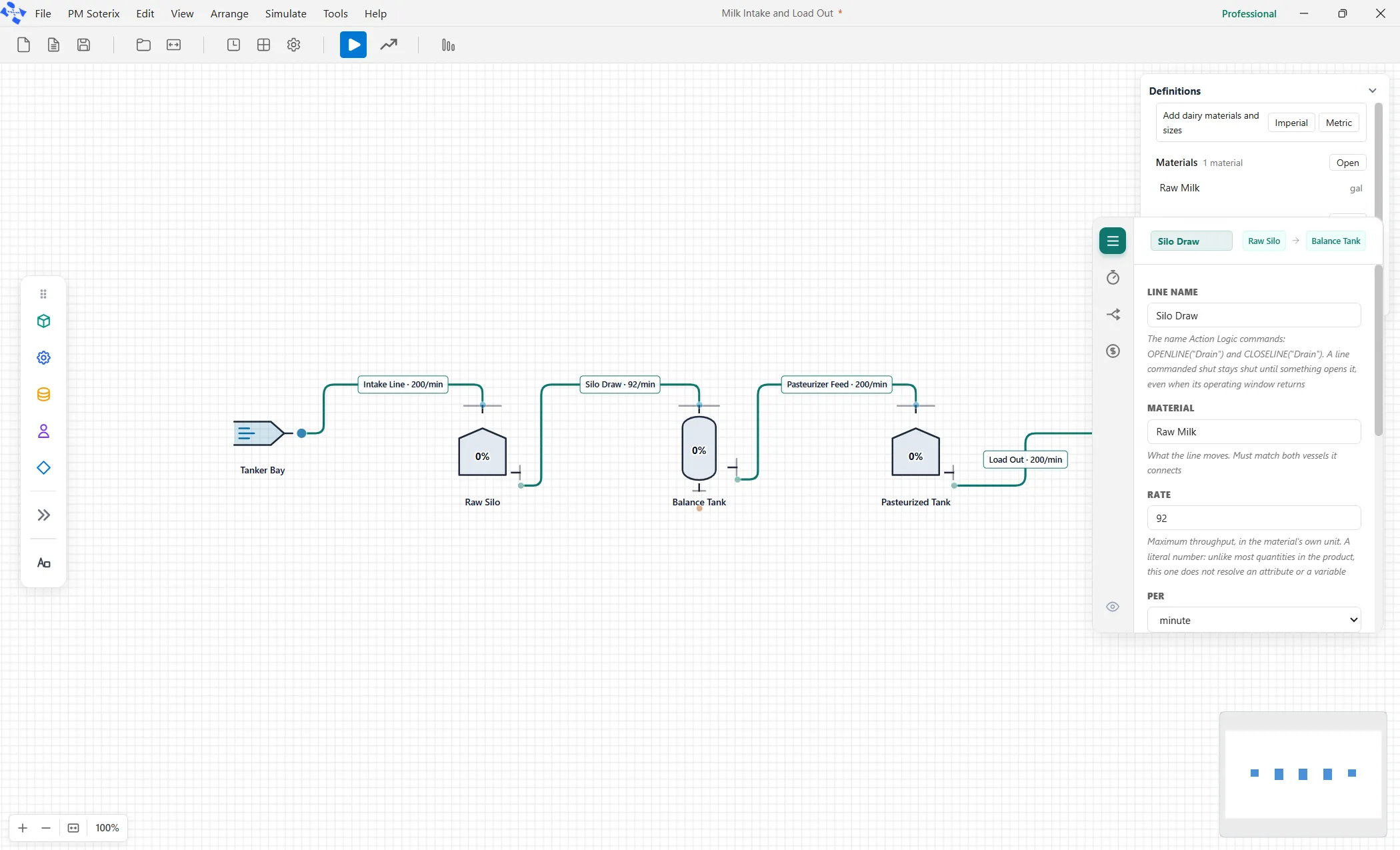
On the canvas the pipe carries a label with its name and rate. To show your own text instead, right-click the pipe and choose Edit Label, and choose Delete Label to put the automatic text back, exactly as on a route (see A route’s label).
The rate is a literal number
Section titled “The rate is a literal number”The rate takes a literal number only, never a variable, an attribute or a distribution. Change the number between runs, or vary it with a scenario.
Priority
Section titled “Priority”When two pipes feed one vessel, they are served by priority first, and then by the order they were declared.
Opening and shutting a pipe
Section titled “Opening and shutting a pipe”A pipe has a Starts open setting, so a line can begin the run closed. From anywhere logic can run, OPENLINE("name") and CLOSELINE("name") open and shut a pipe by name. A pipe commanded shut stays shut until something opens it, even when its working window comes back around.
Because a pipe finds its vessels by name, and these commands take a name in quotes, renaming a pipe after wiring it orphans every reference while still looking fine. Name your lines before you wire them.