

How do I add Constant Supply of Entities?
This article is from the previous version of ProcessModel and is kept for reference.
LegacyHow this worked in the previous version
An arrival that supplies entities to the attached activity whenever that activity has the capacity to take more entities (any input queue capacity is ignored).
Suggested Technique
Section titled “Suggested Technique”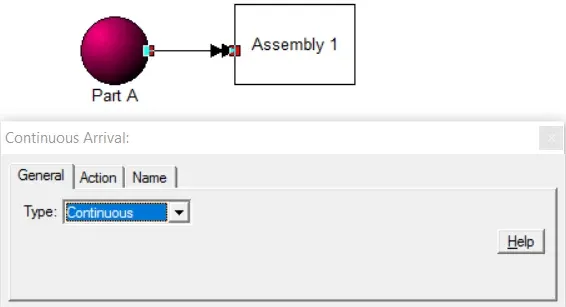
- Create the entity and the activity at which it will arrive.
- Create an arrival connection to the new activity from the entity.
- On the arrival connection’s properties sheet, select Continuous from the Type pull-down box.
Example: The beginning of an assembly line has a constant supply of Part_A . Whenever the first assembly station ( Assembly_1 ) has a need for Part_A , it’s there.
TO DO: In the arrival connection’s properties sheet, select Continuous from the Type pull-down box. (This is the default connection type.)