

Gate Schedule
A gate’s Schedule tab puts it on a clock, so it opens and closes at set times instead of waiting on a condition or on downstream demand.
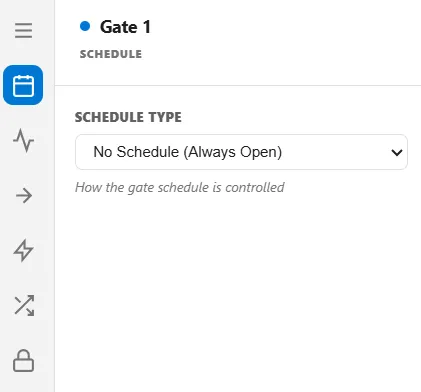
Schedule Type
Section titled “Schedule Type”Schedule Type picks the mechanism, and everything else on the tab follows from it:
| Type | What drives the gate |
|---|---|
| No Schedule (Always Open) | Nothing. The clock plays no part, and the gate is governed by its conditions, its blocking mode, or logic |
| Time Windows | A list of open periods you write, repeating every week |
| Shift | A shift schedule you have already defined |
Time Windows
Section titled “Time Windows”Each window is a start time, an end time, and the days it applies to. The gate is open inside a window and closed outside every window. A new window starts life as 08:00 to 17:00 on weekdays, which you then adjust.
The days you tick are real days of the week, lined up against the calendar date your run’s Start Day maps to, so a Monday-to-Friday window really does skip the weekend.
Two things to watch:
- A window cannot run past midnight. The end time must be later than the start, so a night shift of 22:00 to 06:00 is refused. Write it as two windows: 22:00 to 24:00, and 00:00 to 06:00 on the following day.
- Choosing Time Windows and leaving the list empty leaves the gate always open. There is no warning. An empty list is the same as no schedule at all, so add at least one window.
Choosing Shift hands the gate to a shift calendar. The gate opens when the shift comes on and when a break ends, and closes when the shift goes off and when a break starts, so a gate can follow the working hours of the area it guards without you restating them.
Naming a shift schedule that no longer exists stops the run with a clear error rather than quietly ignoring the setting.
When the tab is not available
Section titled “When the tab is not available”A gate running as Pull or as a Kanban control is driven entirely by downstream demand, so it cannot also be on a clock. On those gates the Schedule tab is hidden and any stored schedule is cleared. See Gate Blocking and Gate Flow Control.
For the other ways a gate changes state, see Gate Conditions and Gate Events.